
Find anyone in Contacts在联系人里找人
The directory of every family and enquiry you have — searchable, filterable, and the way through to a conversation or a family record.所有家庭与询问的通讯录——可搜寻、可筛选,也是进入对话或家庭档案的入口。
这篇指南的正文目前只有英文版。标题、摘要与导览已翻译;内文仍在翻译中。
Contacts is the directory: everyone you have, whether they messaged you or walked in. It is where you look someone up.
Getting there
Marketing → Contacts — the megaphone in the top bar.
Every family is in it, not only the ones who have messaged. A family who signed up at the front desk and never sent a WhatsApp still has a row, marked as a customer rather than an enquiry, and opening it takes you to their family record instead of an empty conversation. The list runs newest first, with the date each contact arrived, so it reads as *who just came in*.
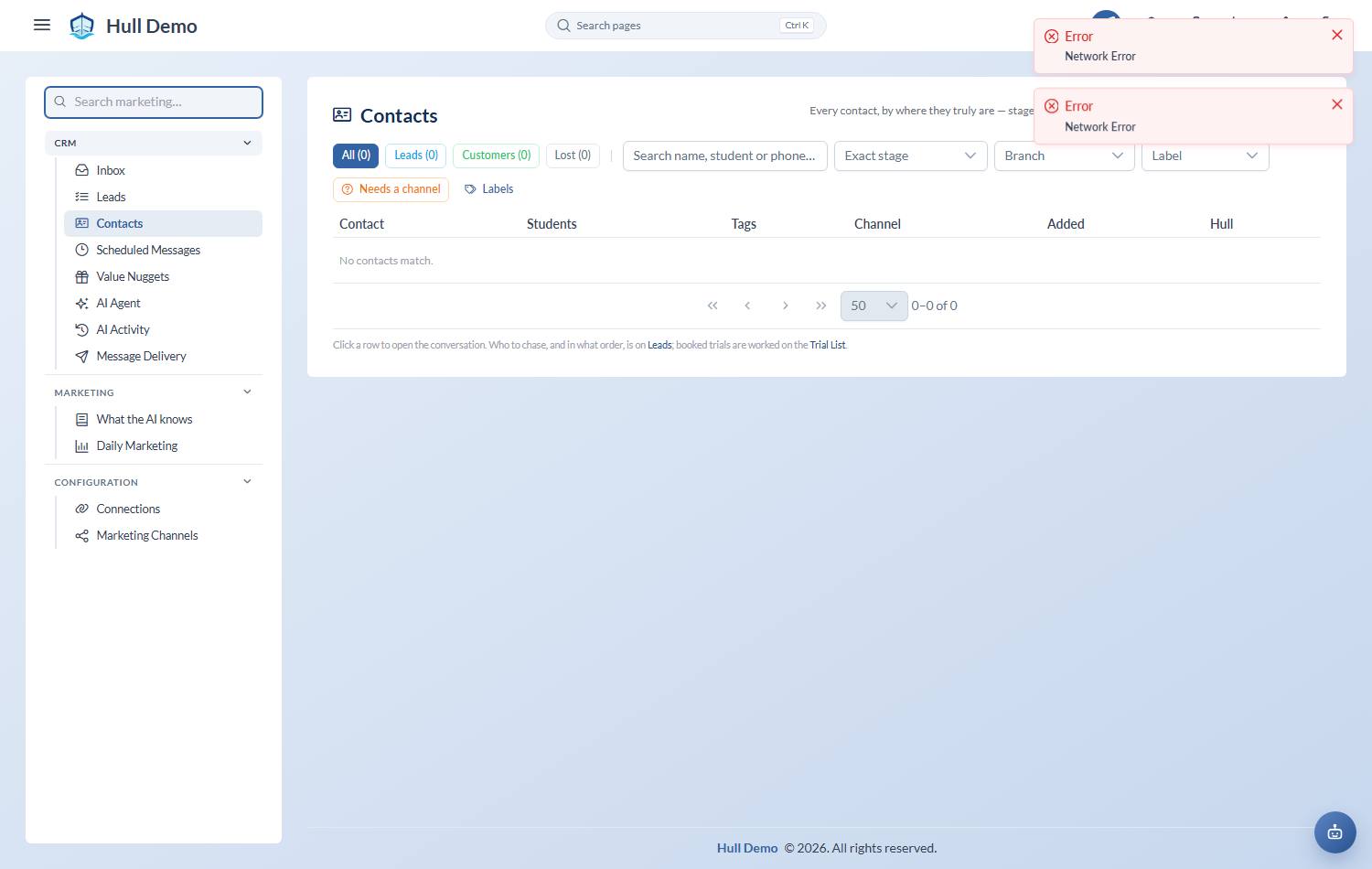
The stage is worked out, not typed
A contact's stage comes from what has actually happened — whether they replied, whether a trial is booked, whether a child signed up. Nobody drags anything between columns, so the list cannot drift out of date the way a hand-maintained pipeline does.
Lost and No booking are the judgements a person makes, because only a person knows a lead has gone cold. (The controls for them are deliberately tucked away — they are decisions, not a tidy-up.)
The stages cover the whole journey, not just the part before a sale:
| Still workable | Already converted | Exited |
|---|---|---|
| Enquiry · Qualified · Waiting approval · Trial booked · No-show · Trial attended · Not signed · No booking | Converted · Frozen · Stopped | Declined · Lost |
The middle three mean the sale happened, whatever came afterwards — a family who signed up and later stopped is a converted lead, not a lost one, and counting them any other way would flatter your channel numbers. What each stage means, and what to do about it, is in Work the lead queue — that page lists only the leads waiting on someone; this one lists everybody.
Four chips across the top carry live counts — All, Leads, Customers, Lost — plus search, a branch filter and labels. The exact stage is one optional dropdown for when you need it; the marketer's own tools (the channel that needs setting, the label list) sit at the right-hand edge out of the way.
Converted and Lost leave the queue
Once a family signs up, or a lead is marked lost, they graduate out of the default view. They are still there behind their own chip, kept for attribution: you will want to know which channel produced the families who actually paid.
A contact with no workable lead left drops out on its own — converted if a child signed up, lost otherwise.
Not every contact is an enquiry
A coach looking for work or a school proposing a collaboration also messages your enquiry line. The assistant reads the first message and, when it thinks a contact is a job applicant or a partner, says so on the row — you accept or dismiss the suggestion. Accepted, the contact is kept but leaves the leads and the funnel, so an enquiry count is never padded with people who were never going to enrol a child.
A label you delete is gone
Labels describe what somebody wants now, so they go stale, and clearing one matters as much as adding it. Deleting a label now removes it outright: it stops being offered, the assistant stops proposing it, and the name is free to use again.
Whose name is on the row
A contact normally reads as the person who pays and messages you, with their children underneath — *Sarah Lim (Aiden, Mia)*, and *Aiden & Mia's parent* below.
Some academies do not think that way. They think in learners, and the parent's name is noise on a list they scan forty times a day. So it is a switch: with it on, the row is the children and the parent is not shown at all.
Neither is more correct, which is why it is a setting rather than a decision we made for you. It is off unless your academy has asked for it, and it changes only what the list shows — nothing about the record underneath, and the parent is still who you are messaging.
Give a contact a name your team recognises
WhatsApp names are whatever the customer typed — "Mummy", an emoji, a shop name. Rename any contact for display; the original is kept and clearing the field restores it. A family already on your books shows as "John's parent" without anyone doing anything.
Children show inline
A contact's children appear on the row with each child's own stage. One parent enquiring about two kids is one conversation and one row, not two half-records.
Filter by branch
The branch filter works out a contact's branch from where their children actually attend. A brand-new lead has no branch yet, so it sits under Unknown (new leads) — which is exactly the pile worth working, not a mistake to file away.
Already a customer? One click to the record
A contact whose family is on your books shows a green Parent badge — click it to jump straight to the parent's full record. No badge means a lead who has not converted yet. That distinction *is* the status; there is no separate label to maintain.
Working it
- Filter to active leads — and your branch, if you work one.
- Start with anything the inbox has flagged for a human — those are waiting on you specifically.
- Open a contact to read the conversation, add tags, or jump into the thread.
- A trial-booked lead links straight to the Trial List — that workflow lives there and is not duplicated here.
Related: Work the WhatsApp inbox · Book a trial · Read the marketing dashboard.