
Freeze a package冻结配套
A family is away for a while. Pause the clock so they do not lose the classes they paid for.家庭要离开一阵子。把时间暂停,别让他们损失已付费的课。
这篇指南的正文目前只有英文版。标题、摘要与导览已翻译;内文仍在翻译中。
Freezing pauses a package while a family is away — a holiday, an injury, exams — and pushes the expiry out by the same number of days, so nothing is lost.
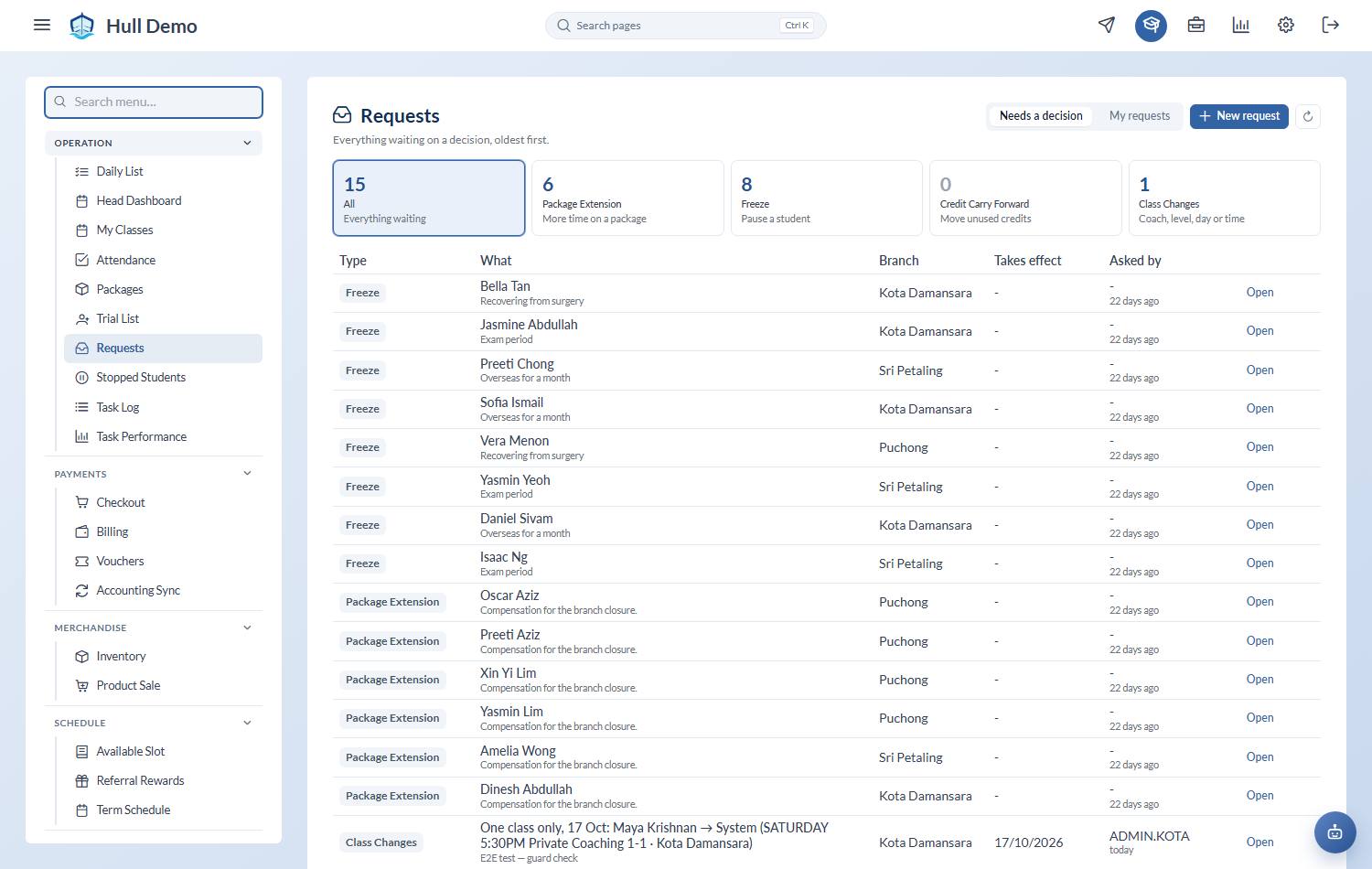
1. Open the child and start a freeze request
From the student's profile, raise a freeze request and give the dates the family will be away. You can also pick a reason from your own list — travelling, exams, injury — which is optional, and there are no ratings to fill in: a freeze is usually circumstance, not a verdict on you.
2. Pick the package
Only packages that allow freezing appear in the list. If the one you expect is missing, that package type is not freezable — check its settings under Config → Package Types, or use a different package.
3. Wait for approval
Freeze requests are approved by senior staff. Until then, nothing has changed for the family.
What happens on approval
- Every package the child holds is extended, not just the one named on the request. This is deliberate: if the child is away, all of their clocks should stop. Extending only one would leave the others burning down while nobody was attending.
- Their seats are closed for the freeze period, so they come off the roster and the slot is free for someone else.
- The expiry on each package moves out by the length of the freeze.
Coming back
When the freeze ends, book the child back into a class. The package picks up where it left off, with the same credits and the new expiry.
Related: Carry credits into another package · Extend a package's expiry · Approve a freeze, extension or carry-forward.