
Bring a student back让学生回来
A family who stopped wants to return. Reactivate the child they already had rather than creating a new one.停掉的家庭想回来。把原来那个孩子重新启用,而不是再建一个。
这篇指南的正文目前只有英文版。标题、摘要与导览已翻译;内文仍在翻译中。
A returning family should come back to the record they already have. Their history, progress, level and assessments are all attached to it — and a second record for the same child quietly doubles your student count.
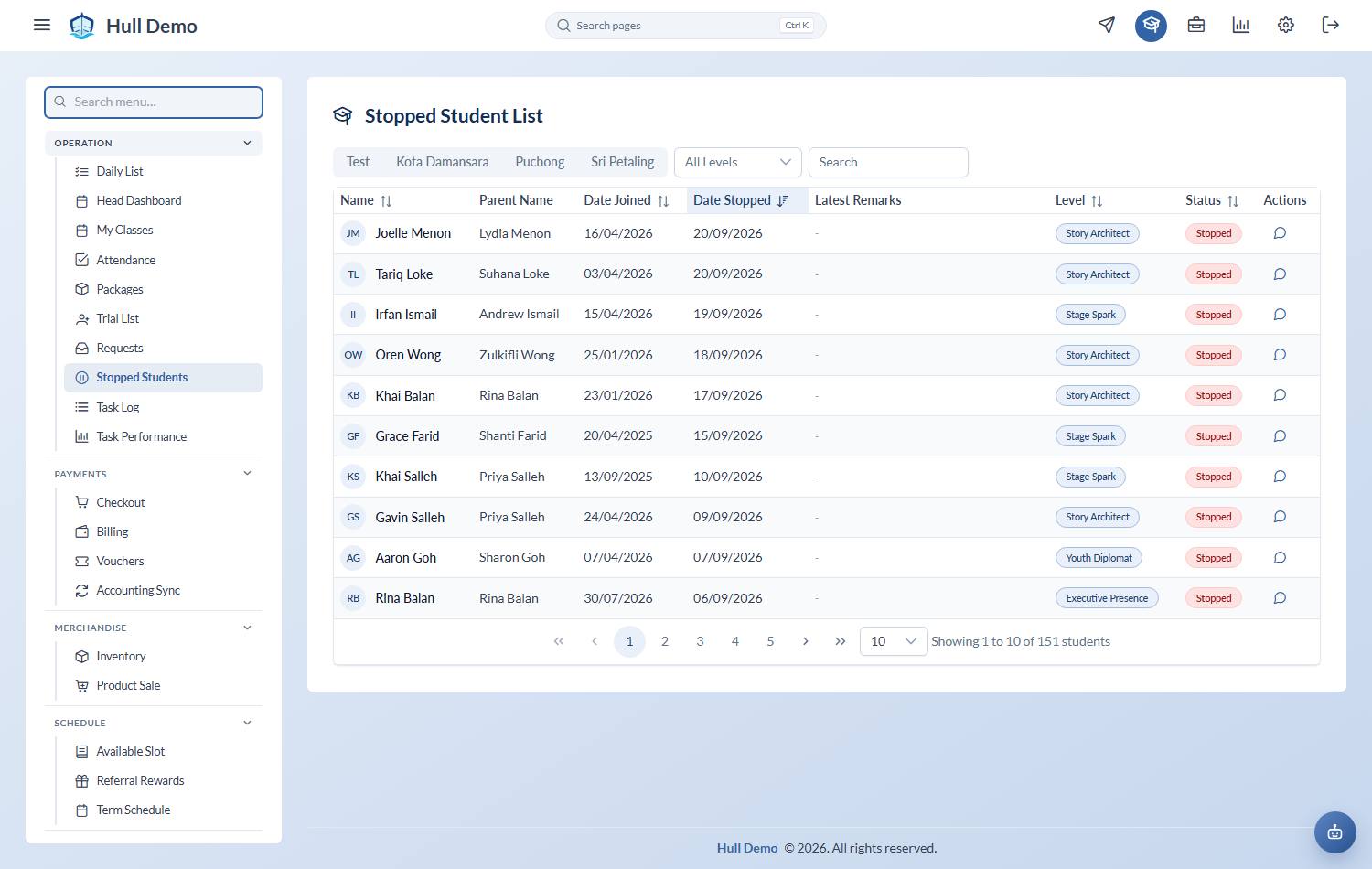
1. Find them under Stopped Students
Operation → Stopped Students, and search by name. The list keeps the date they joined, the date they stopped, and any remarks staff left.
2. Open the profile and choose Activate
On the student's profile, choose Activate. Give the reactivation date — the date they are actually restarting — and a short reason, then Confirm Activate.
3. Sell and book as normal
Reactivating changes their status. It does not give them classes. From here it is the usual two steps:
The stop date is cleared when they come back
Activating a student clears the stop date off their record as well as changing their status. It sounds obvious and it was not always true: a returning child could carry the date they left, which made them look stopped to any report that read the date rather than the status, and put them back on the Stopped list.
Their history keeps the stop — the departure and the return are both real events and both stay in the stream. It is only the "currently stopped on this date" marker that goes.
Why it shows up in your numbers
Reactivations are counted separately from new sign-ups, and against stops they give you the direction of travel for the month: more coming back than leaving, or the reverse. That only works if returning families are reactivated rather than re-created.
Related: Stop a student · The student lifecycle.