
Check what is full and what is empty查看哪些班满了、哪些还空着
One screen shows the whole week's capacity — where you can still sell, and where you are paying a coach to teach three children.一个画面看完整周的容量——哪里还能卖,哪里你正付钱让教练教三个孩子。
这篇指南的正文目前只有英文版。标题、摘要与导览已翻译;内文仍在翻译中。
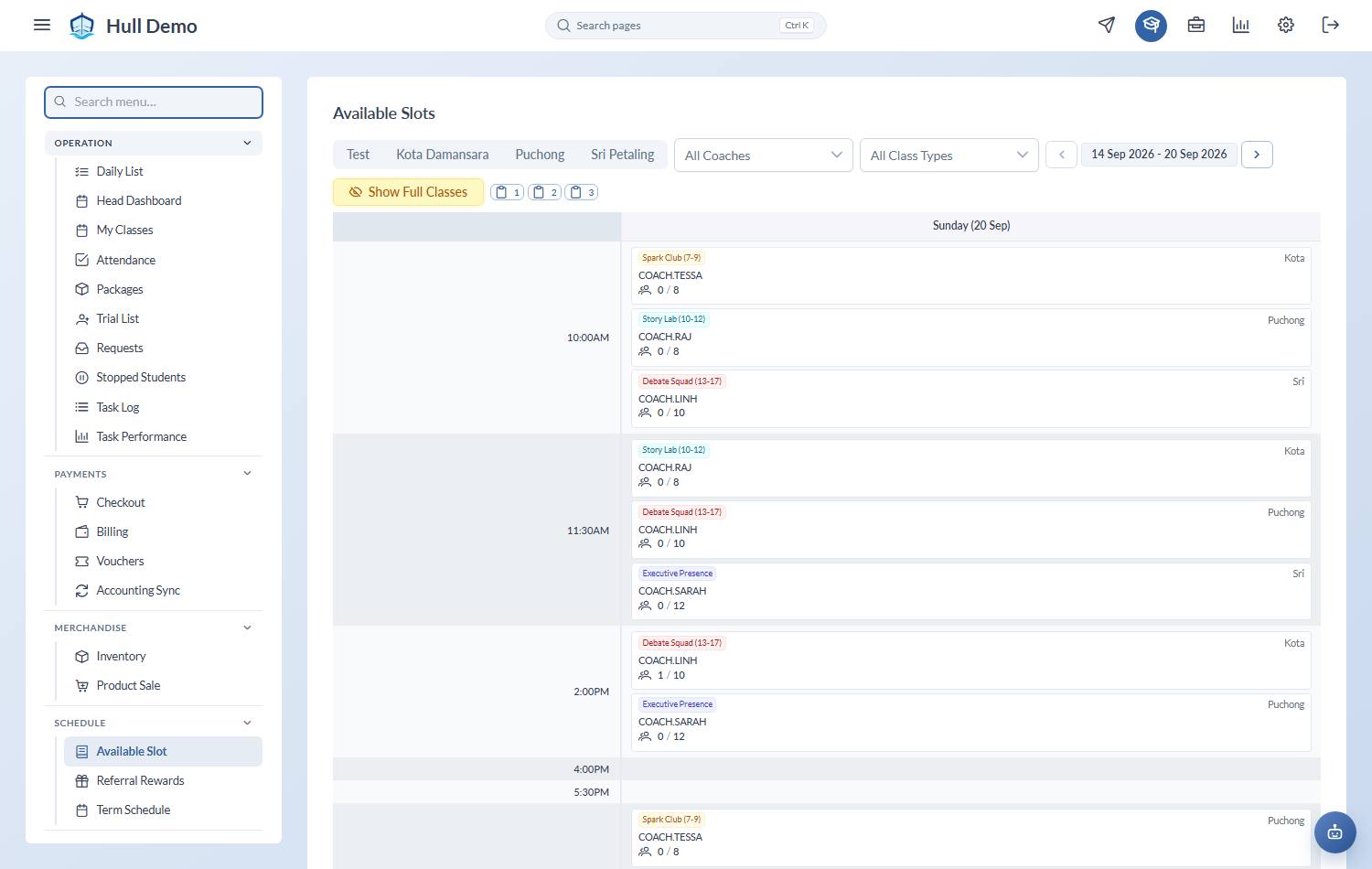
Schedule → Available Slot shows every class in the week with its headcount against its capacity. Front desk uses it to answer "when can he start?"; an owner should read it for something else entirely.
Reading the grid
Days across, times down, one card per class. Each card shows:
- Class type and branch
- Coach
- Headcount / capacity — how full it is right now
- Future — students already booked to join in coming weeks
- Booking — one-off bookings in that session, such as make-ups
Red means full. Grey means the class is not active.
Answering a parent
Filter to their Branch and the Class Type their child is eligible for, turn on Hide Full Classes, and read off the options.
The copy buttons hand you the week's free slots as text — classes with at least one, two or three places free — ready to paste into a message. That is usually faster than reading the grid out loud.
Reading it as an owner
Two patterns are worth acting on, and they are opposites:
- Classes running under half full. You are paying a coach either way. Consolidating two half-empty classes into one recovers the cost of a session without losing a single family — though it does mean asking some parents to move, so weigh it.
- Classes at or near capacity. These are turning families away silently. Adding a second slot at that time, or opening the same class on another day, is the cheapest growth available: the demand has already found you.
Related: Create a class · Book a make-up class · Read the Overview Dashboard.