
Issue a voucher发出代金券
Give a specific family a specific amount off — a goodwill gesture, a welcome offer, a competition prize.给指定家庭指定金额的优惠——一份心意、一个入学优惠,或一份比赛奖品。
这篇指南的正文目前只有英文版。标题、摘要与导览已翻译;内文仍在翻译中。
A promotion is for everyone who qualifies. A voucher is for one family. It is the right tool for a goodwill gesture, a prize, or a campaign where each person gets their own code.
1. Make sure the voucher type exists
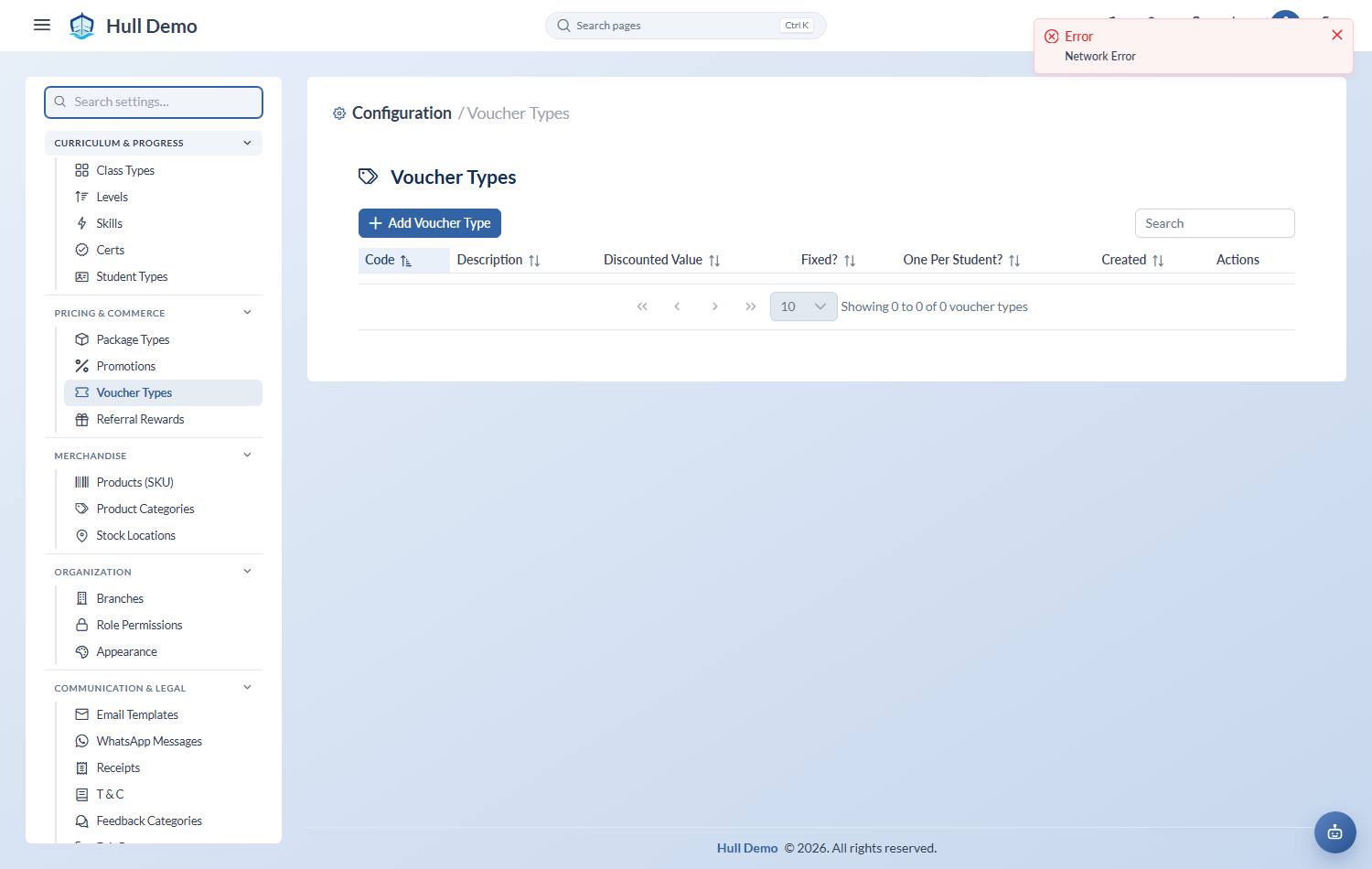
A voucher is issued from a type — the template that defines its value and rules. Settings → Voucher Types — the cog in the top bar — then Add Voucher Type:
- Code — for example
WELCOME10. - Description — what it is for.
- Discounted Value, and whether it is a fixed amount or a percentage.
- One Per Student? — whether a student may only ever use one of these.
2. Issue one to a family
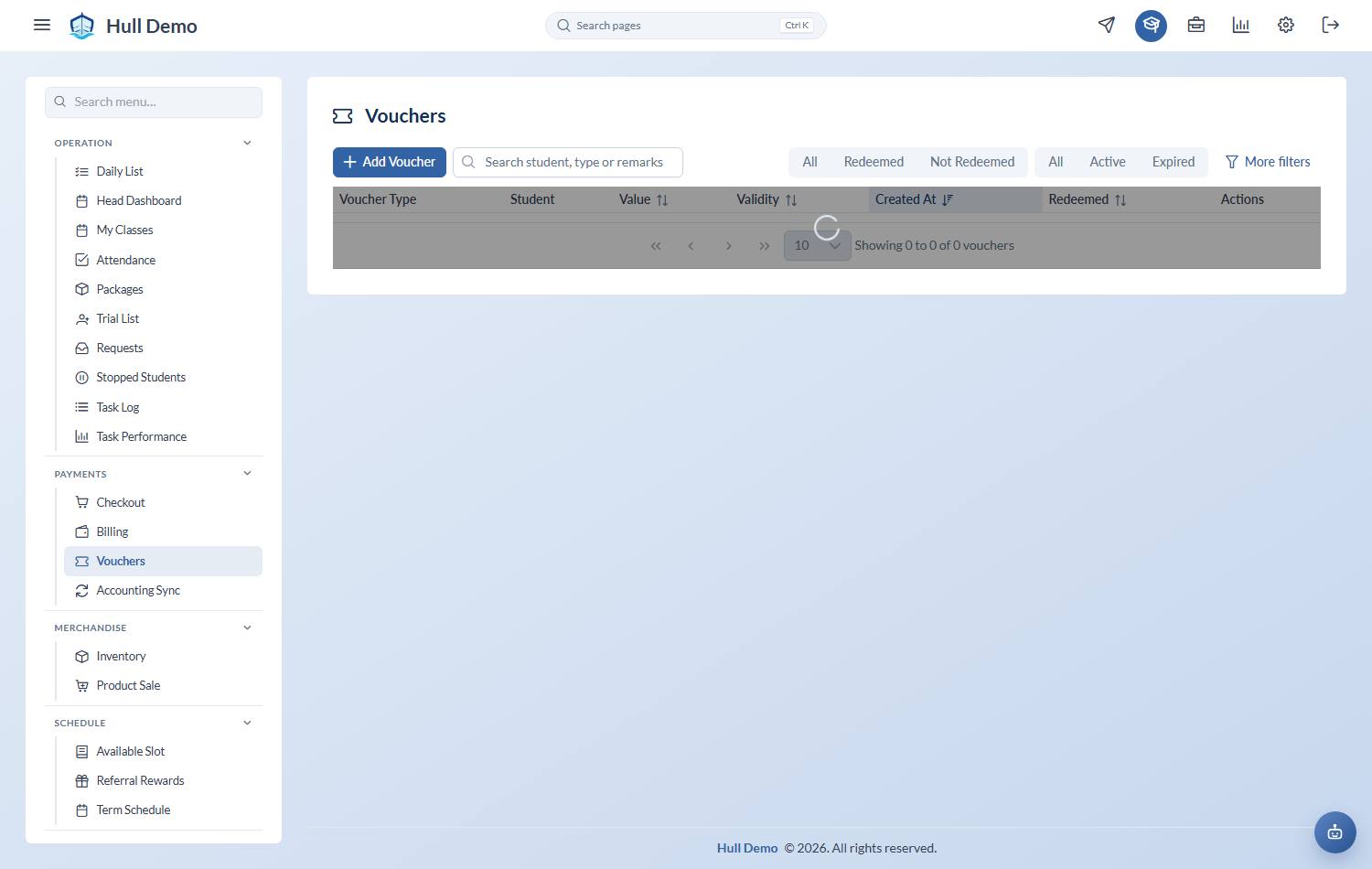
Payments → Vouchers, then Add Voucher. Choose the voucher type, the validity window, and the student it is for if it is dedicated to one child.
3. Redeem it at checkout
At checkout, Apply vouchers on the cart line.
Keeping track
The voucher list shows Value, Validity, Student and whether it has been Redeemed. That is your answer when a parent says they were promised something months ago.
Related: Apply a discount · Run a promotion.