
Issue a certificate颁发证书
Get the printed certificate into the child's hands, and record that it happened.把印好的证书交到孩子手上,并把这件事记录下来。
这篇指南的正文目前只有英文版。标题、摘要与导览已翻译;内文仍在翻译中。
A passed assessment earns a certificate. Two clicks track it from "needs printing" to "in the child's hands", so nothing sits in a drawer for a month.
1. Open Assessments, and click Passed
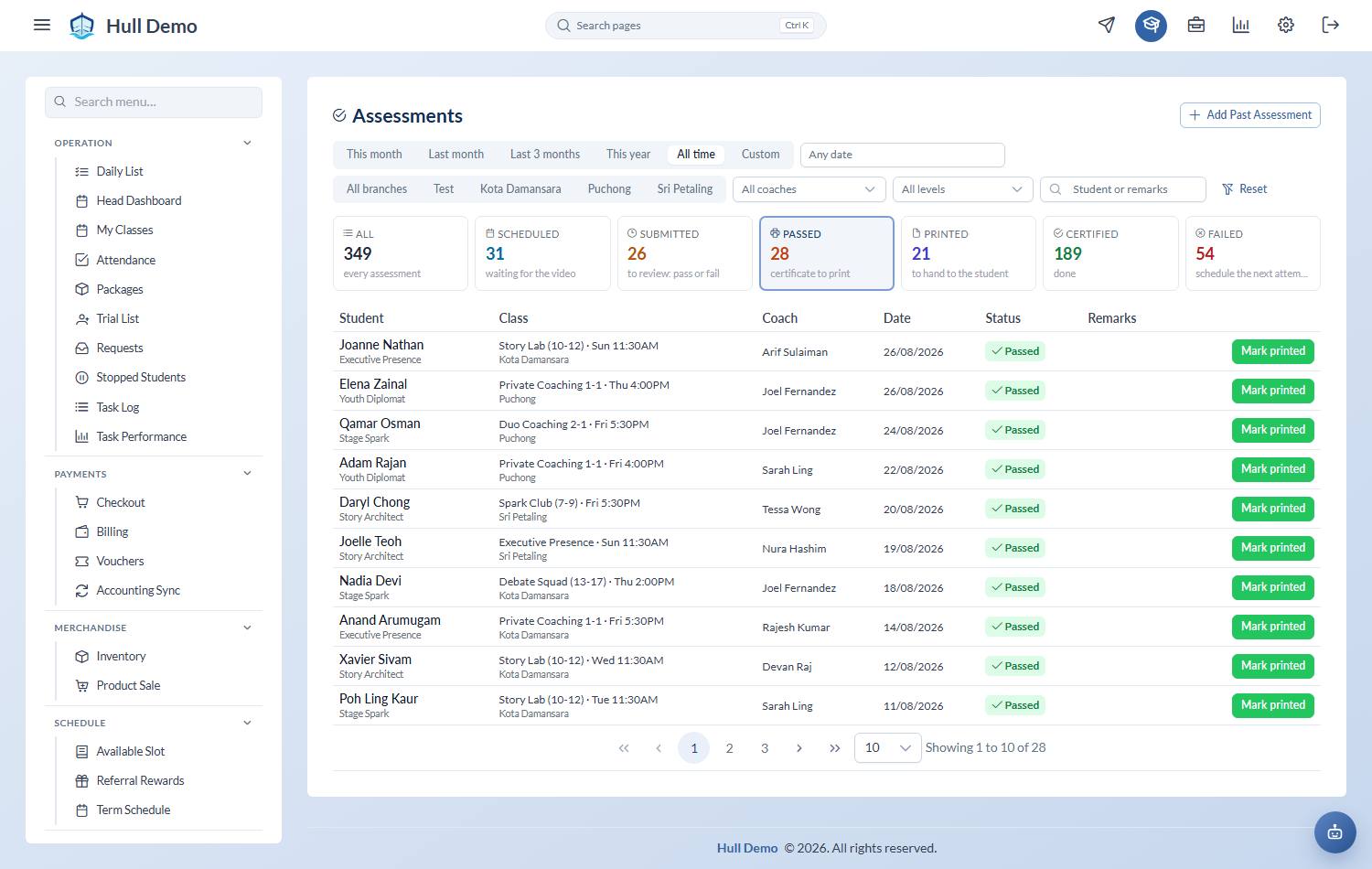
Student Progress → Assessments. The Passed card is the printing queue — students with a passed assessment, their Level, the Date, the class and coach. The Printed card is the hand-over queue. (The old Cert Issuance link still works and lands here with Passed selected.)
2. Print, then mark it printed
Once the certificate is physically printed, choose Mark as Printed. That is the queue for the person at the printer.
3. Mark it certified when it is handed over
When the family actually receives it, choose Mark as Certified. The Certified Date is recorded.
Why bother tracking it
The certificate is the moment the parent sees the money was worth it. A child who passed in March and got the certificate in June has had the moment taken away from them.
The daily follow-up list flags certificates due to be handed over, so the family gets it at their next class rather than whenever someone remembers.
One prompt per certificate
The daily list raises one hand-over prompt per certificate, named for its level, and closing it records that certificate as handed over. It used to be keyed per class session, which is how one printed certificate came back every week.
Related: Review and pass an assessment · Work today's follow-up list.