
Send your invoices to your accounts把发票送进你的会计系统
Push the month's documents into your accounting system, and deal with anything that bounces.把当月单据推送到会计软件,并处理被退回的部分。
这篇指南的正文目前只有英文版。标题、摘要与导览已翻译;内文仍在翻译中。
You come to this screen to send the month across, to check a send worked, or to deal with something that bounced.
1. Preview what will go
Payments → Accounting Sync → Send, then Refresh preview. It shows the documents waiting, counted by type.
The preview is built by exactly the same process as the real send, so it is not an approximation — what you see is what will be posted.
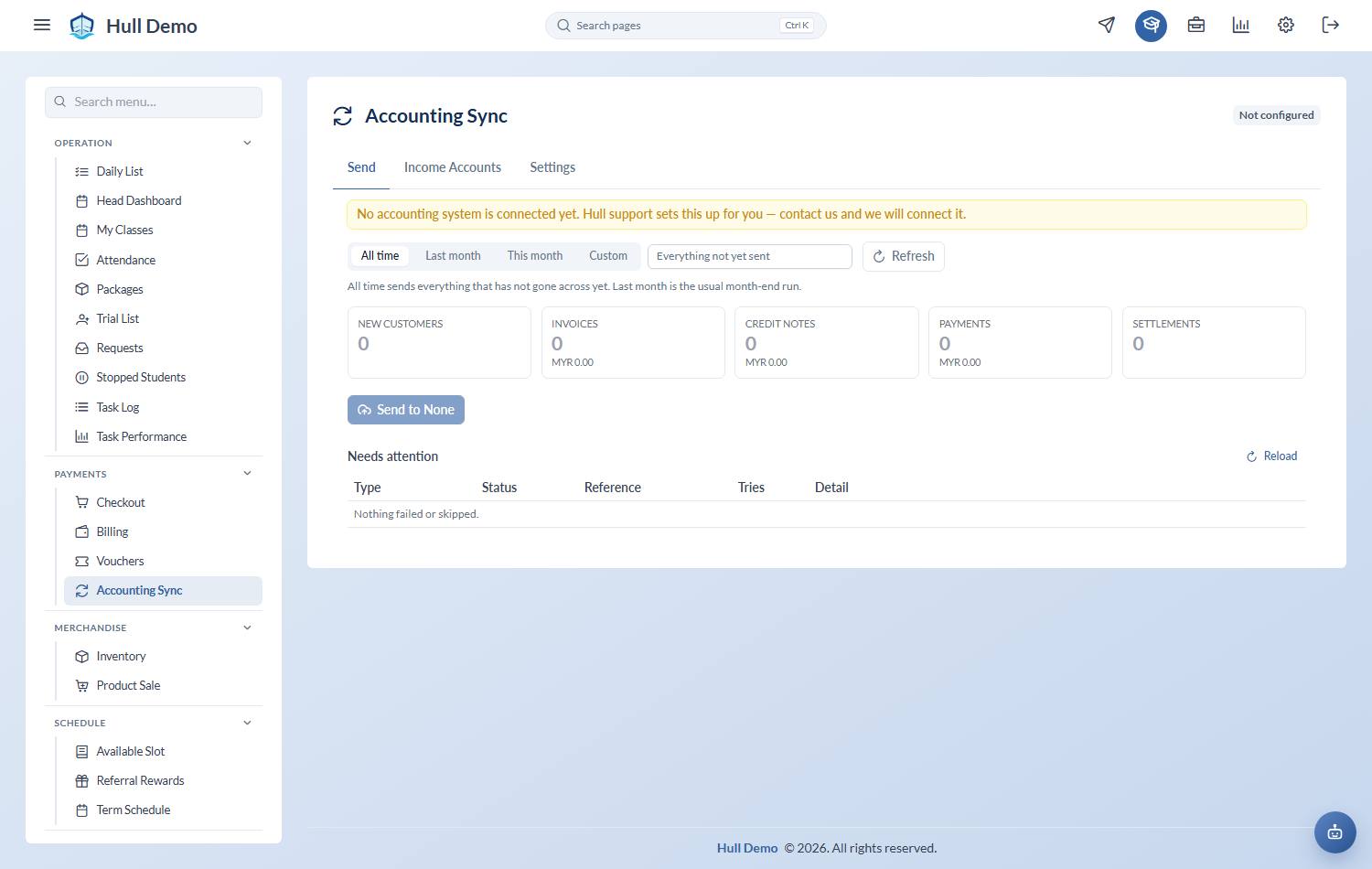
2. Send it
Press Send. Documents go in a fixed order — customers first, then invoices, then credit notes, then receipts, then the settlements between them.
That order is a requirement, not a preference: an invoice cannot be posted before the customer it belongs to exists, and a receipt cannot be matched against an invoice that is not there yet.
A big send takes a while — a month can be a thousand documents, and accounting systems limit how fast anything may talk to them, so Hull paces itself. The run happens in the background: press Send, and the screen shows a progress count you can watch, leave, and come back to. Pressing Send again while a run is going does not start a second one; it tells you which run is already underway.
Every document is recorded the moment it lands, so a run cut short — the browser closed, the connection dropped — leaves nothing half-done, and the next run carries on from where that one stopped.
When a run finishes you can download exactly what it sent, document by document, which is the file to hand to whoever reconciles the books. History you brought across from before Hull is sent as well, not only what was sold since.
3. Read the result
Each send reports Synced, Failed and Skipped per type, with a row per document showing what happened.
- Failed — your accounting system rejected it. The reason is shown as it came back, in plain words.
- Skipped — it is waiting on something else that has not gone across yet. Fix the cause and it goes on the next send.
4. The four you are most likely to see
"carries tax but no tax code is set" — your academy charges SST and the tax code has not been set up yet. See Connect your accounting system. Hull is refusing to post an invoice with the tax missing, which is the right call.
"no income account mapped" — a package nobody has assigned an account to. Set it under Income Accounts and retry.
"dated outside the open financial period" — the document is older than the year your books are open for. Usually means the start date on the connection needs adjusting; tell Hull support.
"Product Code … not exists" — an item was mapped that is not in your accounting system. Either clear it back to Not itemised, or press the + to create it.
5. Fix and retry
Retry re-sends a single document rather than the whole batch. Fix the cause first, then retry.
What is never sent
- Anything dated before the start date on your connection.
- Draft or voided invoices.
- Payments that have not succeeded.
- Anything imported as pre-migration history.
Download a month, and check the two agree
Each month in Sent by month downloads as one file covering every run: every invoice, credit note, receipt and settlement whose document falls in that month, what Hull says each was worth, and the reason for anything that failed or was skipped. A month here means the document's own date, never the day the run happened — which is what your accountant tallies against.
There is also a check that compares a period document by document against your accounting system — present on both sides, same amount, settled the same way — and names every one that disagrees. Worth running before you close a month rather than after somebody queries a figure.
Two settings your accountant will want
On the accounting setup screen, both chosen from your own chart of accounts:
- Credit notes post to — send every credit note to one nominated account (many academies use a *Return Inwards* account) rather than back to whatever income account the original sale used. Leave it blank to keep the old behaviour.
- Receipts go through — pin every receipt to a single payment method in your accounting system, instead of matching Hull's method name. If the method you pin does not exist there, the receipt fails loudly rather than quietly posting somewhere wrong.
Ask your accountant for both before the first real sync; they are the two answers that are painful to change after a month has been filed.
E-invoices
Submitting e-invoices to the tax authority is your accounting system's job, not Hull's. Hull records which invoices a buyer asked to receive individually and which are rolled into the consolidated submission, and passes that along.
Related: Connect your accounting system · Close the month · Invoices, payments and credit notes.