
Find a family's invoice or receipt找出家庭的发票或收据
Search by the child — usually the name you have — rather than by the parent who paid.用孩子的名字搜索——那通常才是你手上有的名字——而不是付钱的家长。
这篇指南的正文目前只有英文版。标题、摘要与导览已翻译;内文仍在翻译中。
An invoice is addressed to the parent who paid, but the name you are given at the counter is almost always the child's. You can search either way.
1. Open Invoices
From the sidebar, Payments → Invoices.
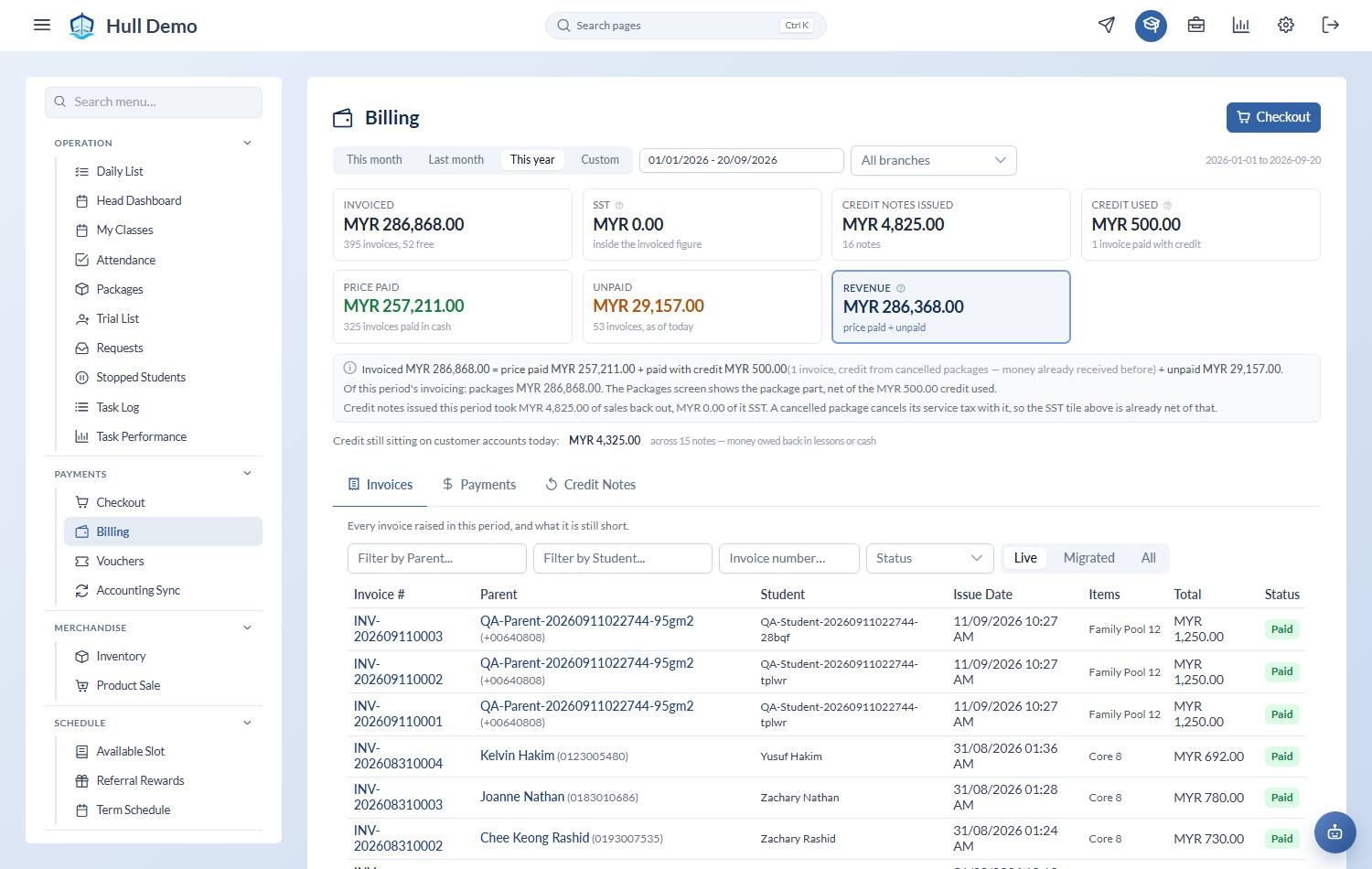
2. Filter by the child
Start typing in Filter by Student…, then choose the name from the list that appears.
You can filter by Parent the same way, and by Status — for example, to find everything still unpaid.
3. Read the result
Each row shows the invoice number, the parent who paid, the children the purchase covers, the date, what was bought, the total and whether it is paid.
A shared package names every child it covers, so a single invoice may list two siblings.
Live, Migrated and All
Three buttons sit above the list:
- Live — invoices raised in this system. This is what you want almost always.
- Migrated — records brought across from the old system when the academy moved over. They are there for history and cannot be edited.
- All — both together.
Getting the receipt to the family
Open the payment behind the invoice to view its receipt, or send it to the parent by email from the same place.
One receipt, two children
When one payment covers packages for two children in the same family, the receipt names both. It used to name nobody at all: a single sale for a single child worked, but a cart with two children in it produced a receipt with an empty name line — which is exactly the receipt a parent queries.
The branch and the person who sold it come from the same place, so a two-child receipt is complete.
When an invoice charged too little
Sometimes a sale is right in every respect except the amount — a discount applied that should not have been, a voucher spent twice. The invoice is not wrong about *what was sold*, so voiding it and starting again throws away a true record to fix a number.
The owner can raise a correction: a second invoice for the difference, pointing at the one it corrects. Both stay on the account, the original keeps its number and its history, and the pair add up to what should have been charged. Your accountant knows this document — it is a debit note.
Three things worth knowing before you ask for one:
- Owner only, and you see a preview first. The amount and what it settles against are shown before anything is written.
- It settles from credit the family already holds, where there is some.
- The parent portal does not show it. The portal lists payments, and a correction is not one — it is an adjustment between you and the books.
A parent asking for their e-invoice
Where your academy has it switched on, an invoice carries a small e-invoice panel: enter the parent's tax number, press Request, then Check status, and the validated link appears with buttons to copy or open it. See Invoices, payments and credit notes.
Related: Check what a family owes · Record a payment · Cancel a package and return the value.